Write in Arabic and English, in the same note
Camel Notes keeps your notes, tasks and meetings in one place. Every line runs in the right direction, and everything is saved as markdown files you own.
On the web, iPhone, Android and Chrome.
This week
Review the deck with Sara Sunday
الاتصال بالمورد بخصوص العقد الجديد
Set up the production server
Goal: ship the first version before the quarter ends
مراجعة الميزانية يوم الخميس #مالية
Camel Notes in a minute
A quick tour of writing, tasks, meetings and the assistant.
Notes that keep up with you
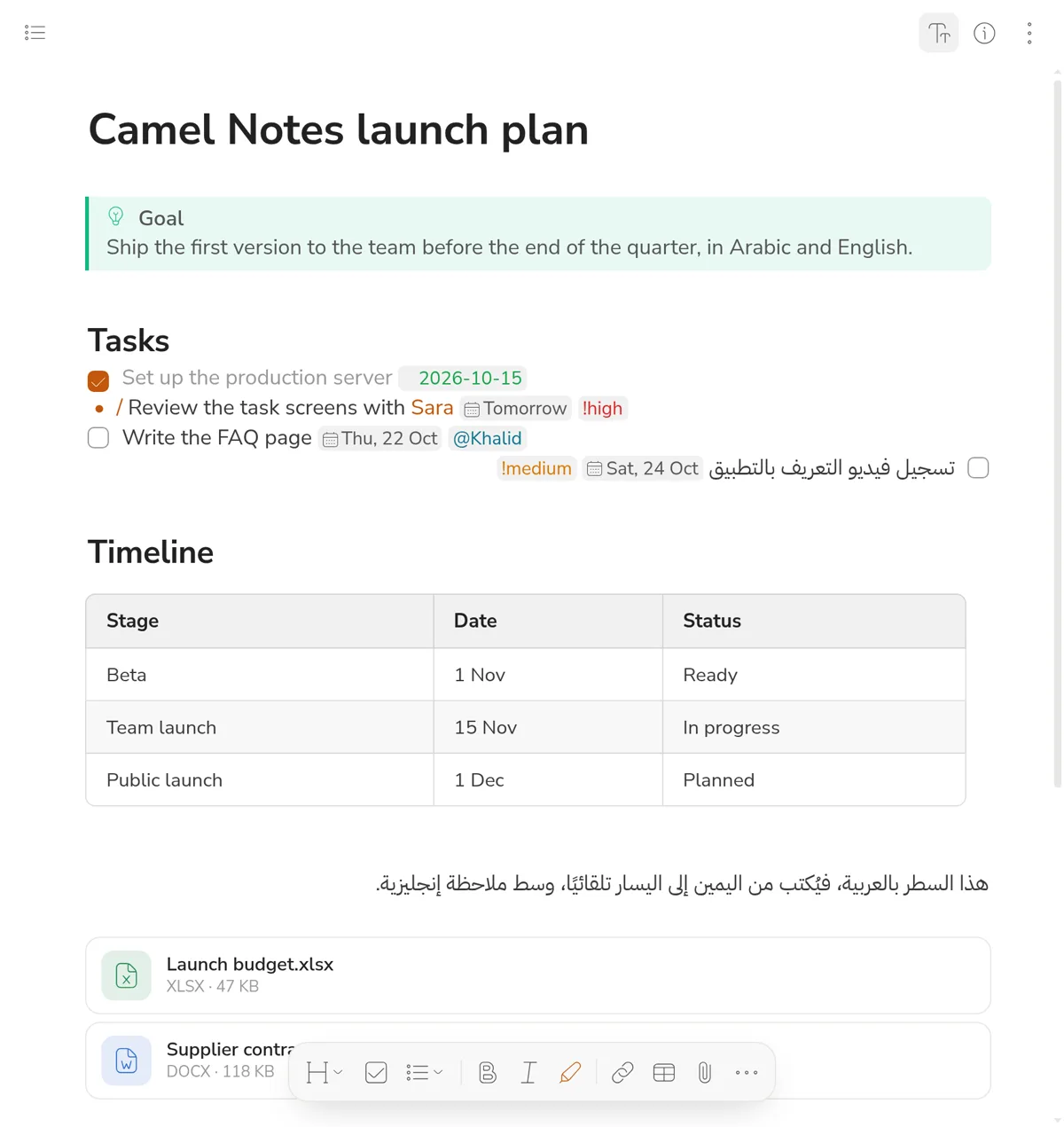
A markdown editor with live preview: the symbols fade while you write and come back when you need them.
- Each line takes its direction from its first letter, so Arabic and English sit together without a fight.
- Link notes with [[Note title]] and sort them with tags like #projects.
- Tables you edit like a document, and PDF, Word and Excel files shown as cards in the note.
Tasks live in your notes
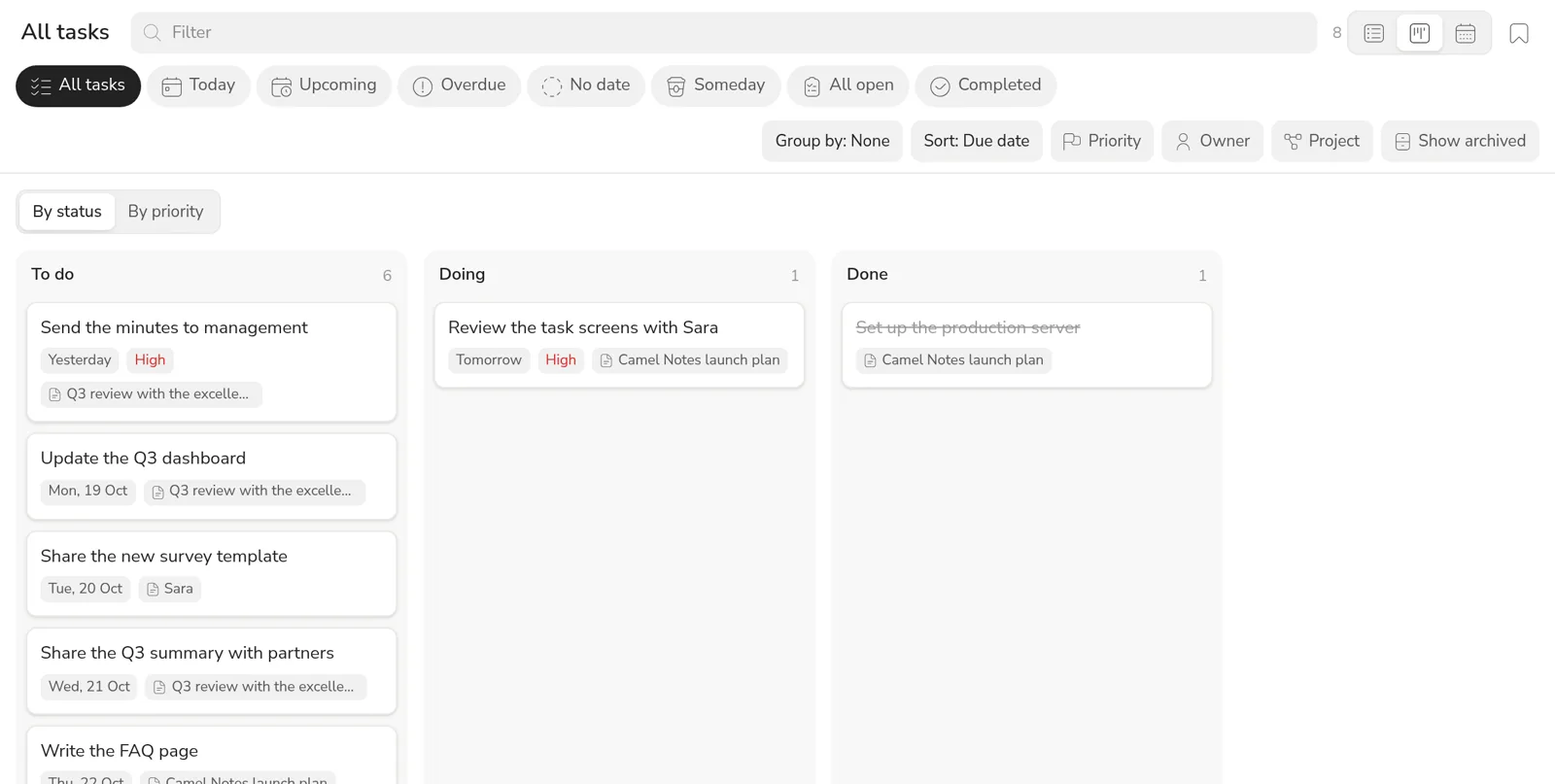
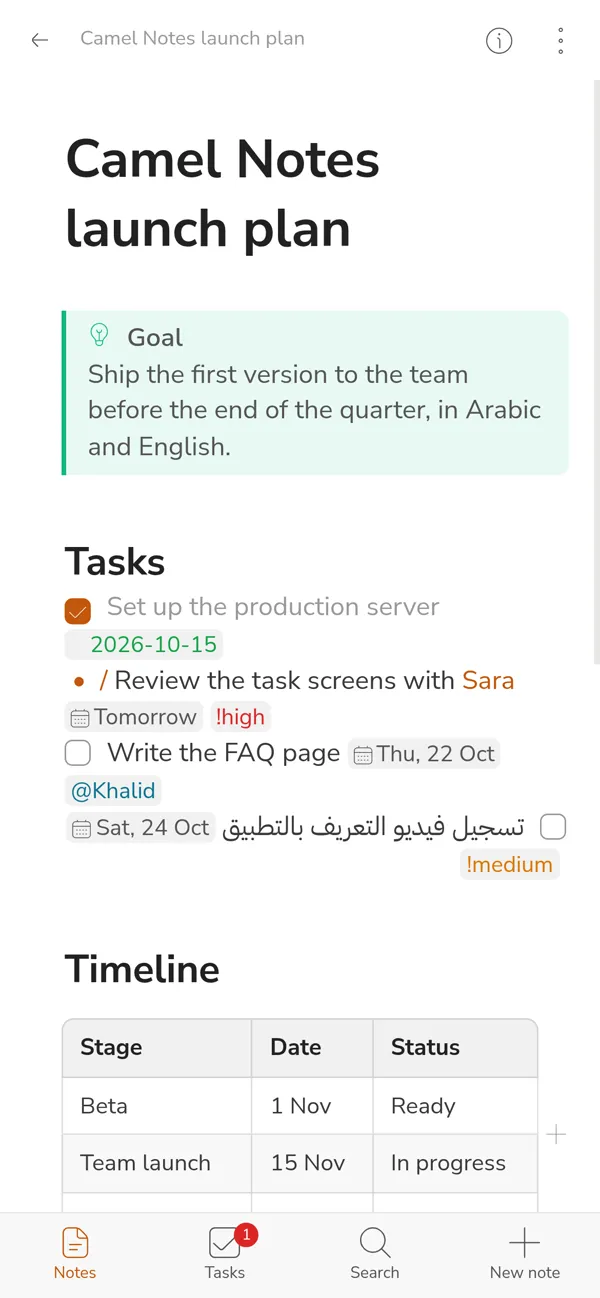
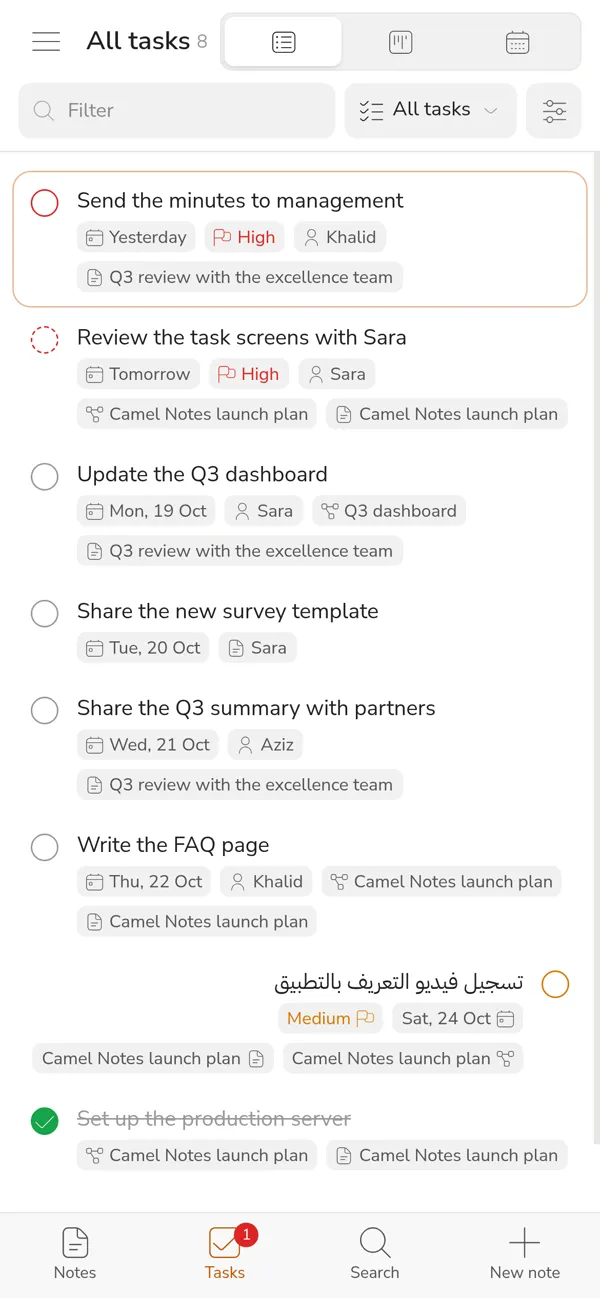
Write a task in any note and it shows up in the task manager with its date, priority and owner.
- One line is enough:
- [ ] Review the deck 📅 2026-10-19 !high @Sara - Ready-made lists for today, upcoming, overdue and done.
- See them as a list, a board or a calendar, and save the views you use every day.
Record the meeting, skip the minutes
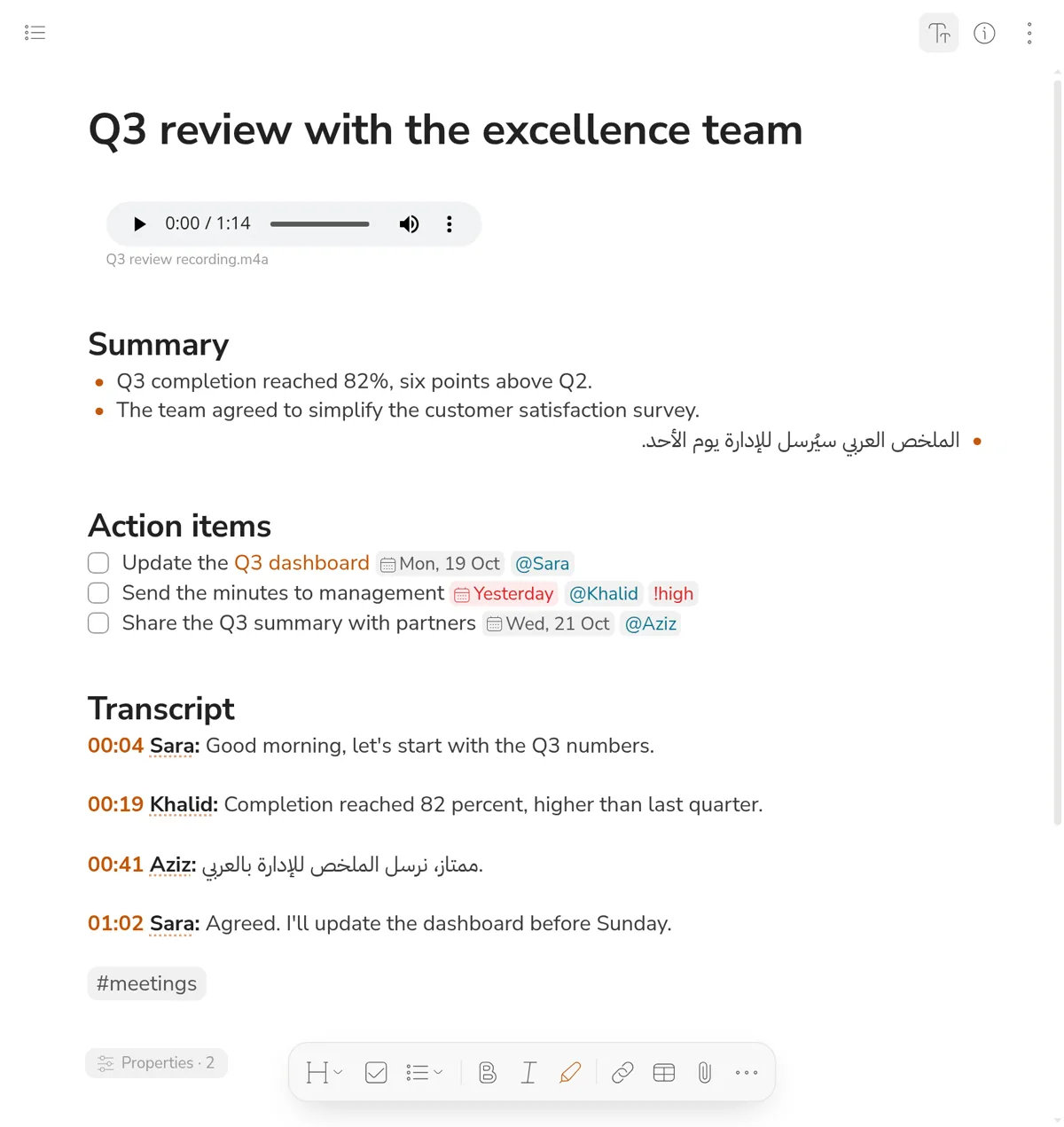
The recording becomes a full transcript with speaker names, then a summary and action items in the same note.
- Understands Arabic and English in the same meeting.
- Click any timestamp to hear that moment.
- Name the speakers once and the names change everywhere.
An assistant that knows your notes
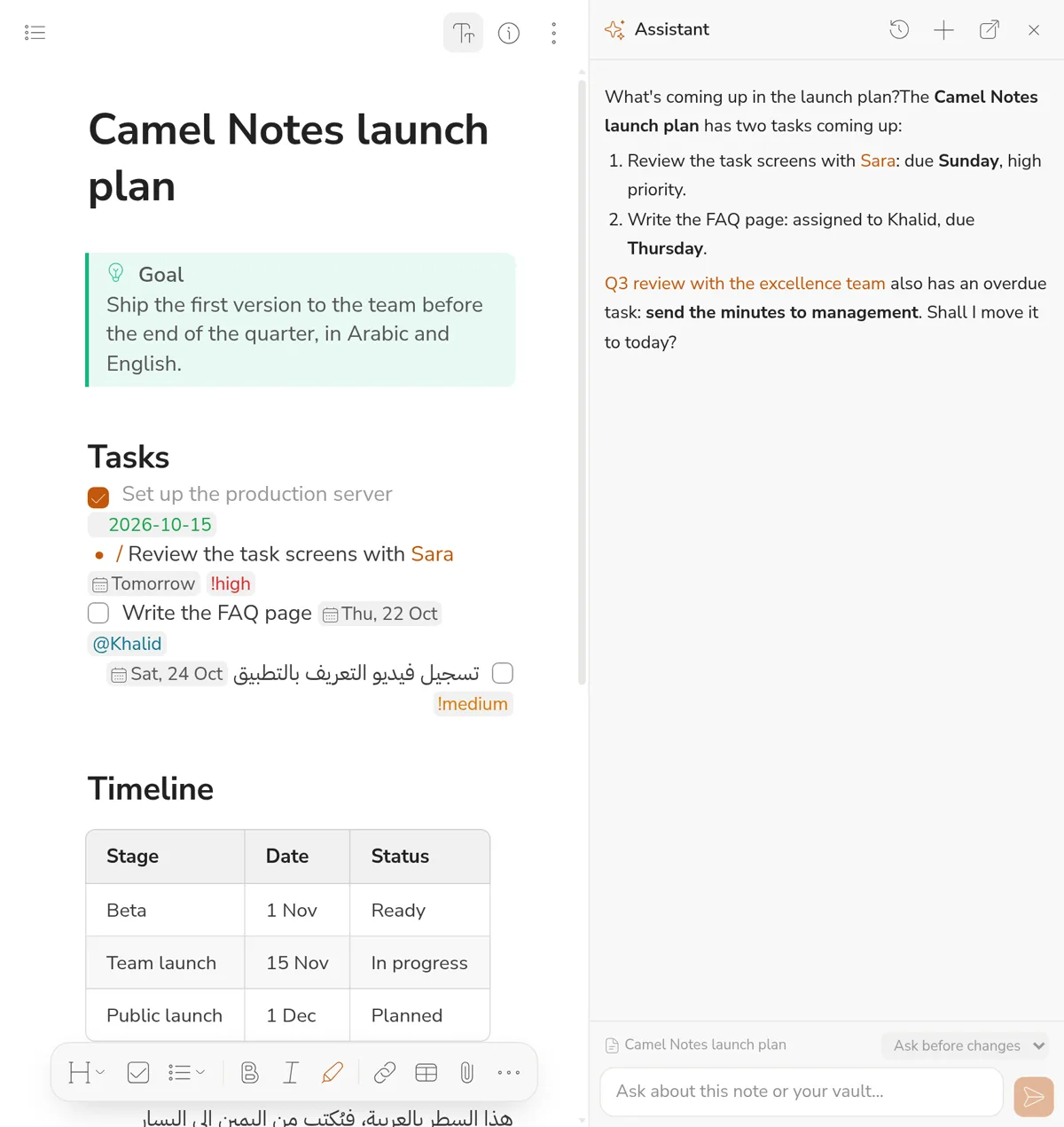
Ask about a project or what is overdue, and it answers from your notes with links to them.
- "Ask AI" writes, summarises and rewrites right at the cursor; then you keep it or throw it away.
- The account manager picks the provider: Claude, or any OpenAI-compatible one.
- It changes nothing in your notes without the permission you give it.
Sketch the idea next to the text
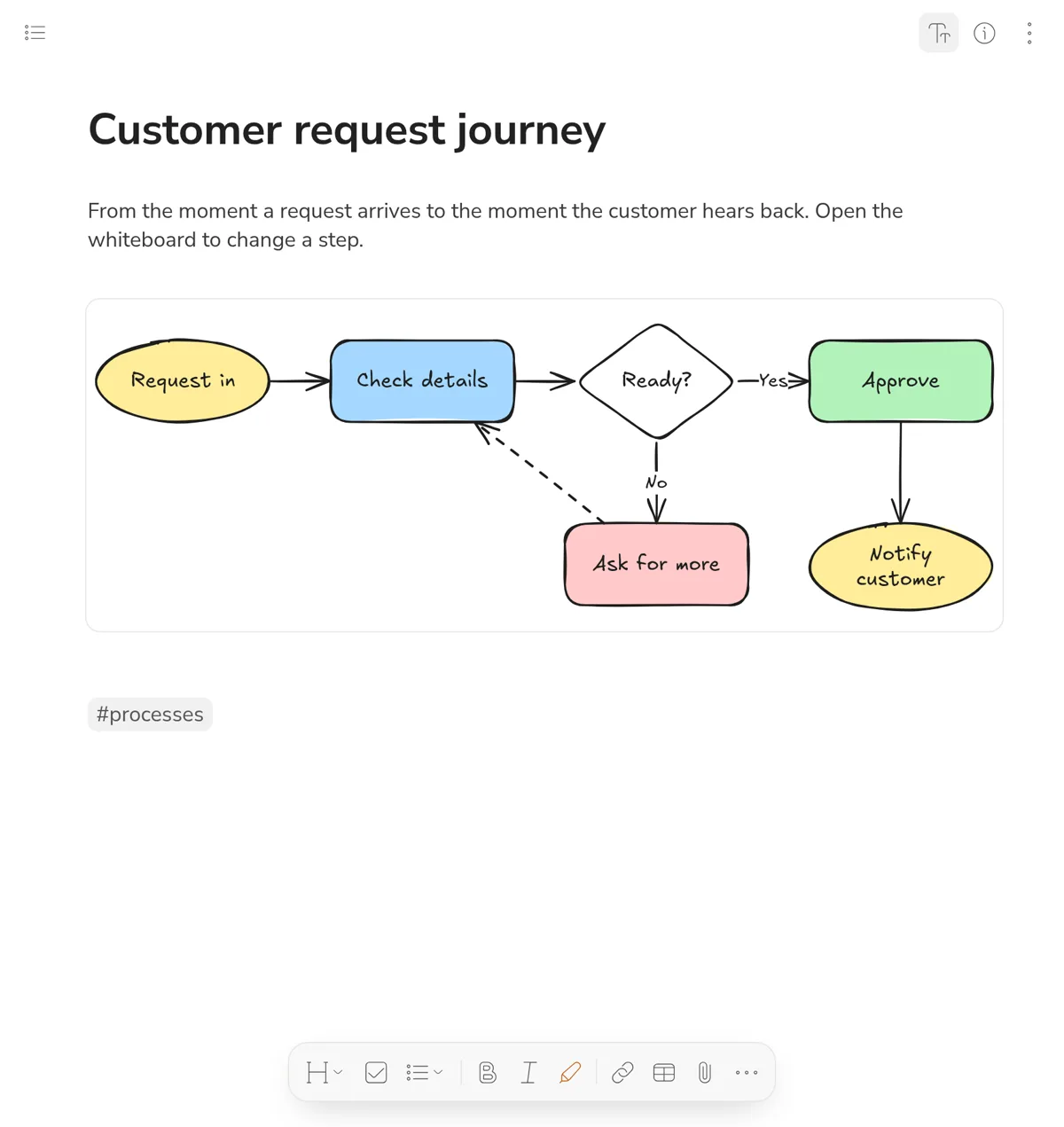
Whiteboards inside the note: shapes and arrows that stay connected when you move them, with Arabic and English text.
- Open one in place or full screen.
- Turn a Mermaid diagram into a whiteboard with one click.
- Drag the edge to make the board taller.
Interactive pages inside your notes
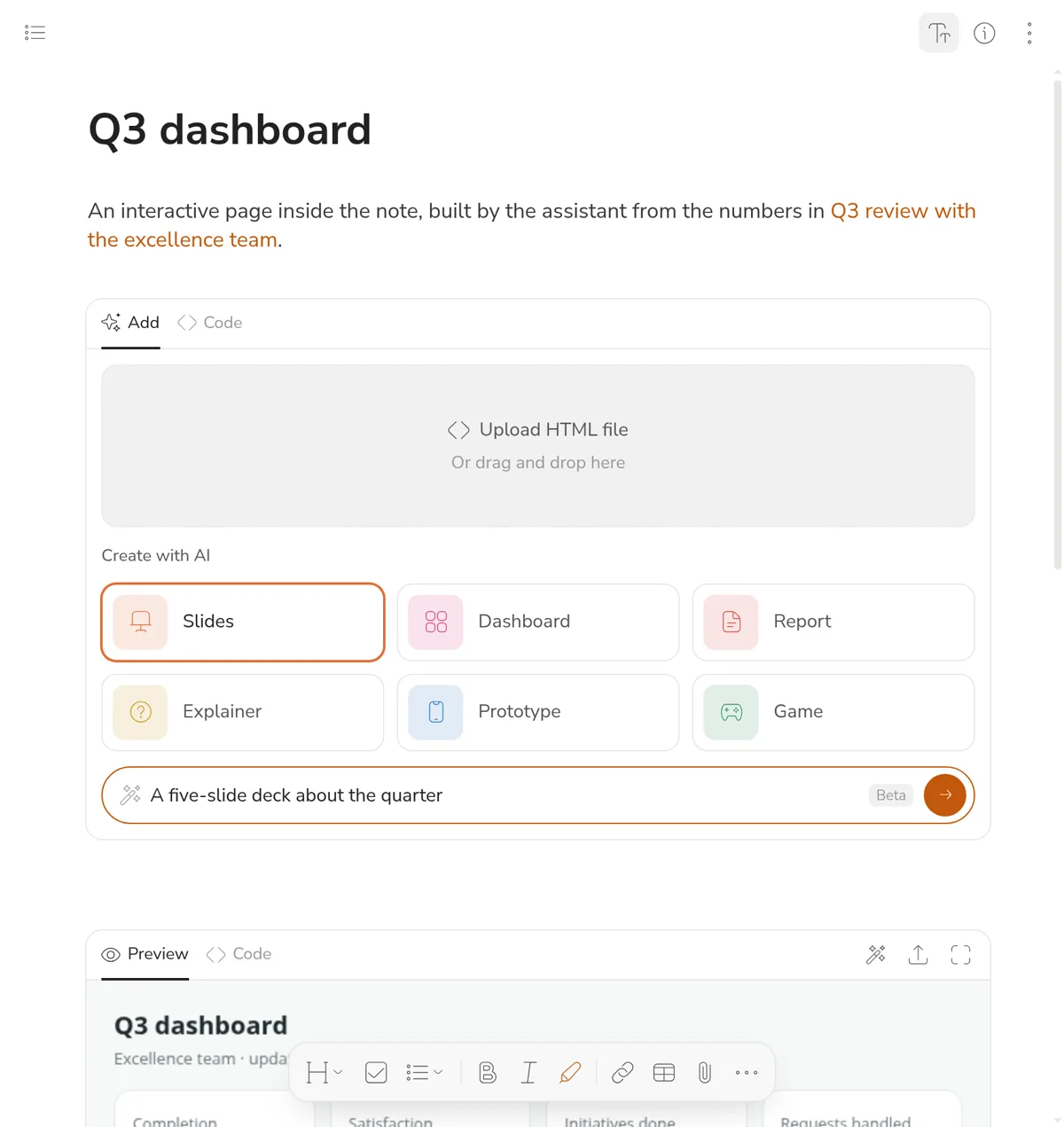
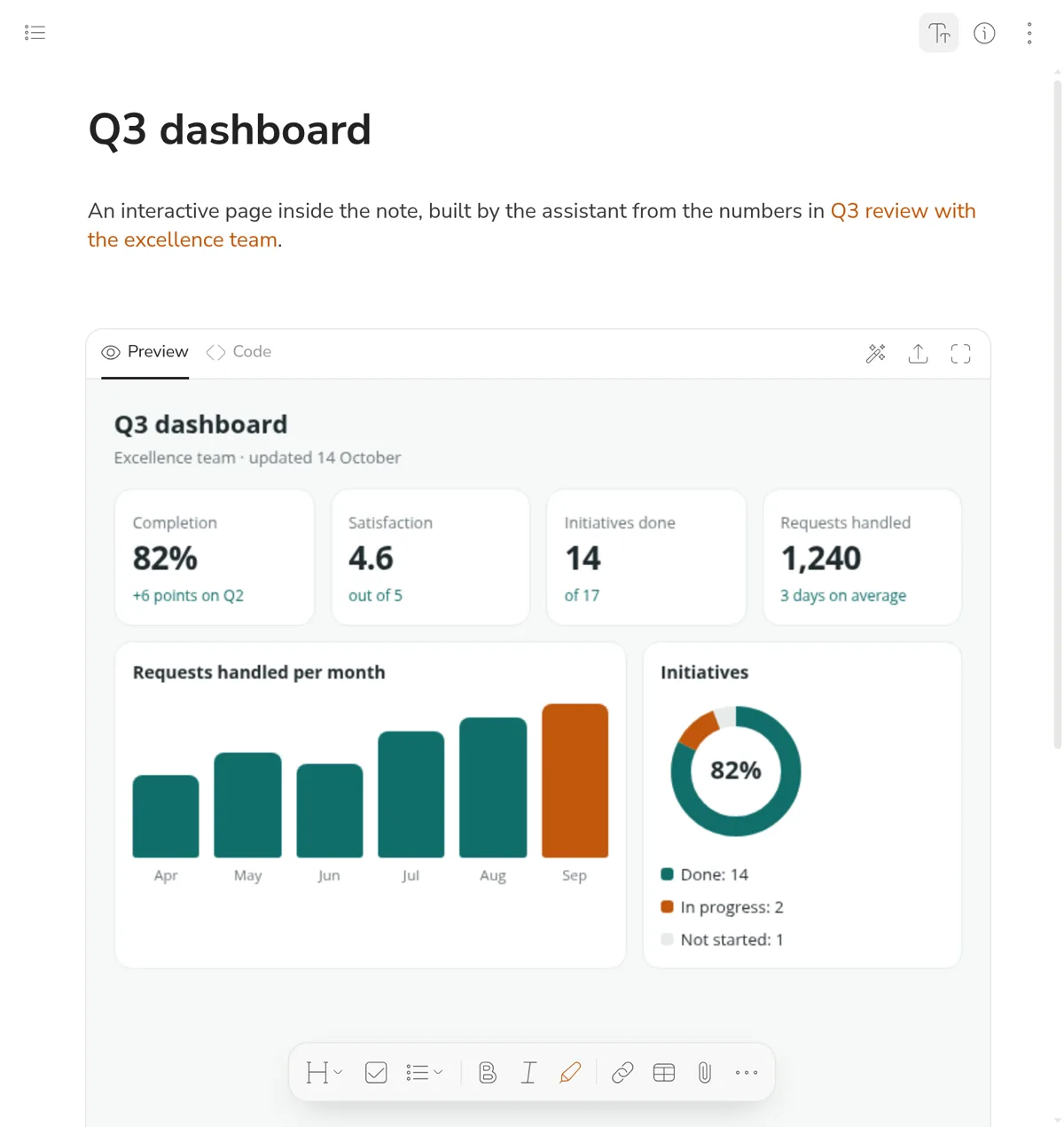
Type /html and ask for slides, a dashboard, a report or a small game, and the assistant builds it from your note. Or paste your own code, or upload an HTML file. The page runs in a sealed-off space with no access to your account or your data.
And much more
Search that knows Arabic
Ignores differences in hamza and diacritics, and finds things as you type.
Works offline
Write on a plane or in the desert; your changes sync when you are back online.
Live sync
Open the same note on two devices and watch edits appear instantly.
Version history
Go back to any earlier version of a note and restore it.
Files and pictures
Attach PDF, Word, Excel and more; drag pictures in, resize and place them.
Types and properties
Projects, people and meetings, linked together into a full picture of your work.
Connected to your tools
Through MCP, Claude, ChatGPT and Cursor can read and write your notes and tasks with your permission.
Export any time
Your whole space as a zip of markdown files and attachments.
With you everywhere
A fast web app that runs in any browser and installs to your home screen, plus phone apps and a Chrome extension.
- Web on any computer, installable as an app.
- iPhone and Android your notes and tasks in your pocket.
- Chrome extension save a page, a post or a video to a note.
Private notes, for your eyes only
An encrypted section with a password nobody else knows. Notes and pictures are encrypted on your device before they are saved, so the server, its manager and the backups cannot read them.
- A recovery key, shown to you once.
- Locks itself after the time you choose.
- Never sent to any AI.
Your notes are your files
Every note is a plain markdown file. Export your whole space and open it in any editor, or run Camel Notes on your own server. No lock-in, no closed formats.
Questions
Does it fully support Arabic?
Yes. The interface is in Arabic or English, every paragraph takes its direction from its first letter, and search ignores differences in hamza and diacritics.
Where are my notes kept?
On the Camel Notes server, with a copy on your device so it works offline. You can export them as markdown files at any time.
Does it work without internet?
Yes. Read and write offline; your changes sync automatically when you are back online.
Which AI does it use?
Claude from Anthropic, or any OpenAI-compatible provider the account manager chooses in Settings. Private notes are never sent to any AI.
Can I connect it to other tools?
Yes. Through MCP, tools like Claude, ChatGPT and Cursor can read your notes and tasks, and write to them with the permission you give.